breakly Add to Shopify

Quantity breaks for Shopify

More items in every cart.

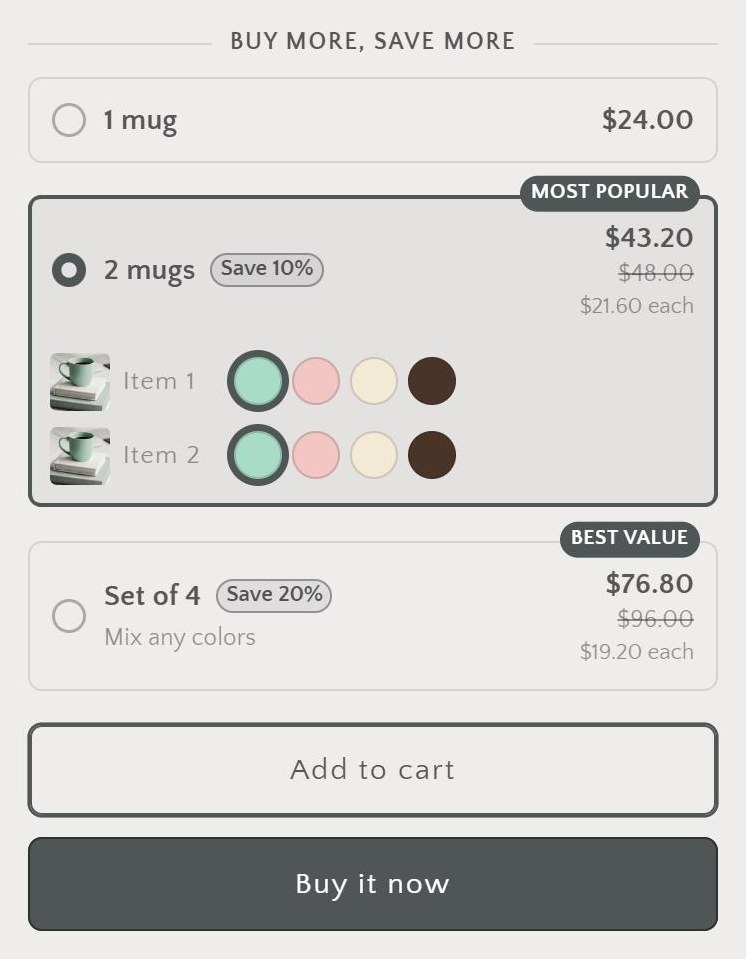
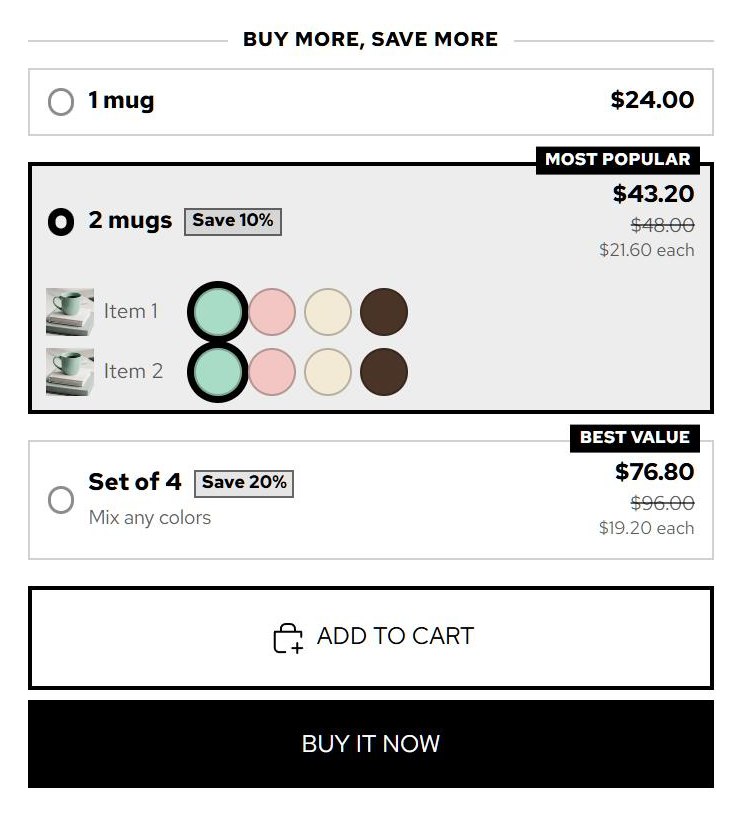
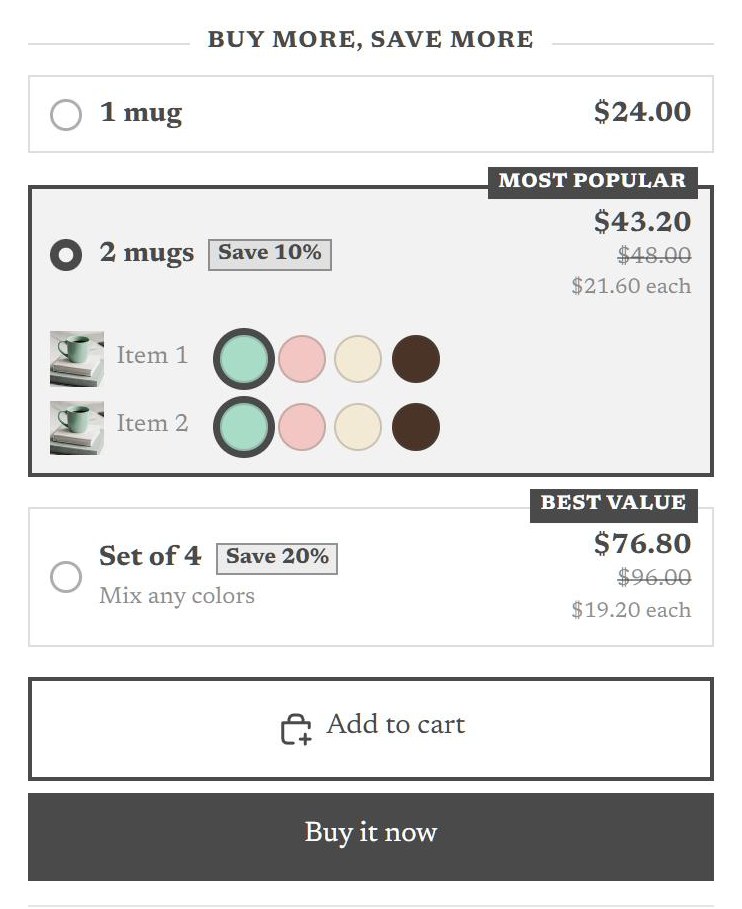
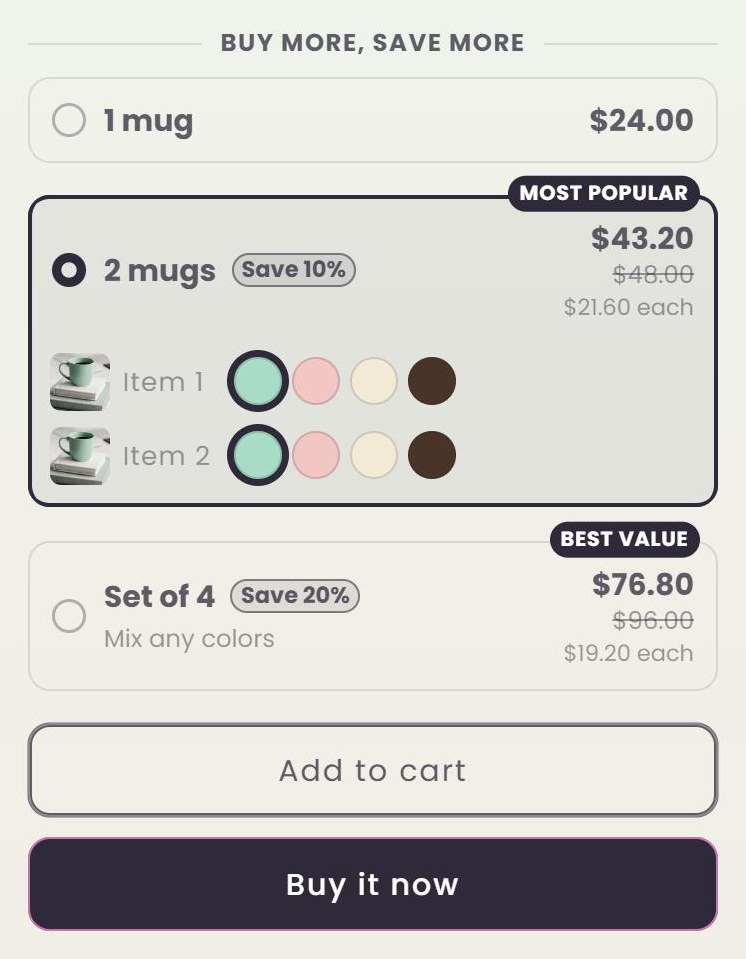
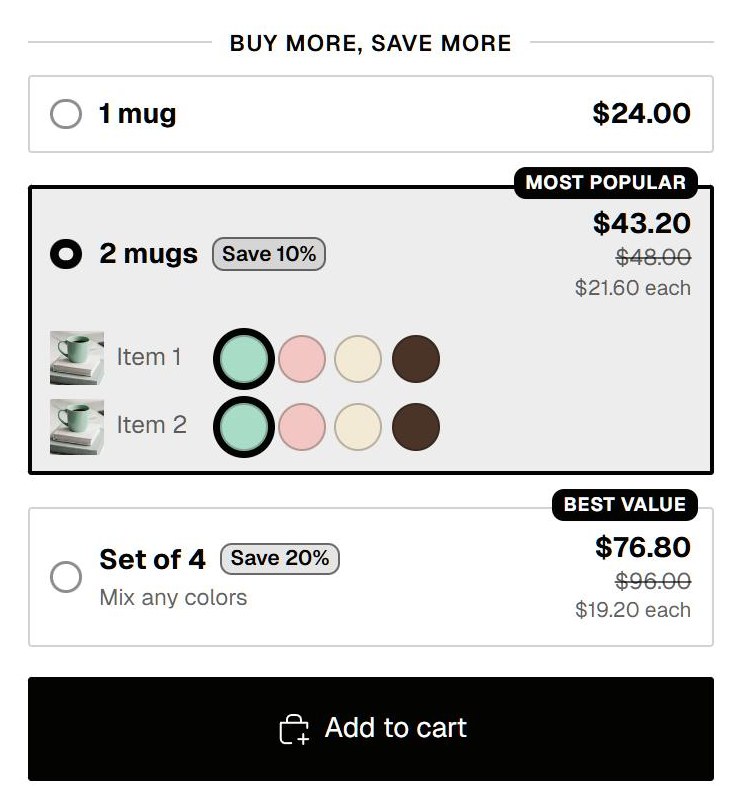
Breakly adds buy-more-save-more tiers to your product pages. They take on your theme's fonts, colors and corners, show the exact price shoppers pay at checkout, and go live without editing theme code.

Free for your first 100 discounted orders every month. Paid plans from $9.99.

  • Same price on the product page, in the cart and at checkout
  • Tested on 11 Shopify themes, on phone, tablet and desktop
  • Shoppers pick a color and size for every item in a tier
ShopJournalAbout
Mint stoneware mug of black coffee on a stack of linen books

Kiln & Co.

Stoneware Mug

$24.00

Buy more, save more
Item 1
Item 2

Works with your theme

Looks like it shipped with your theme

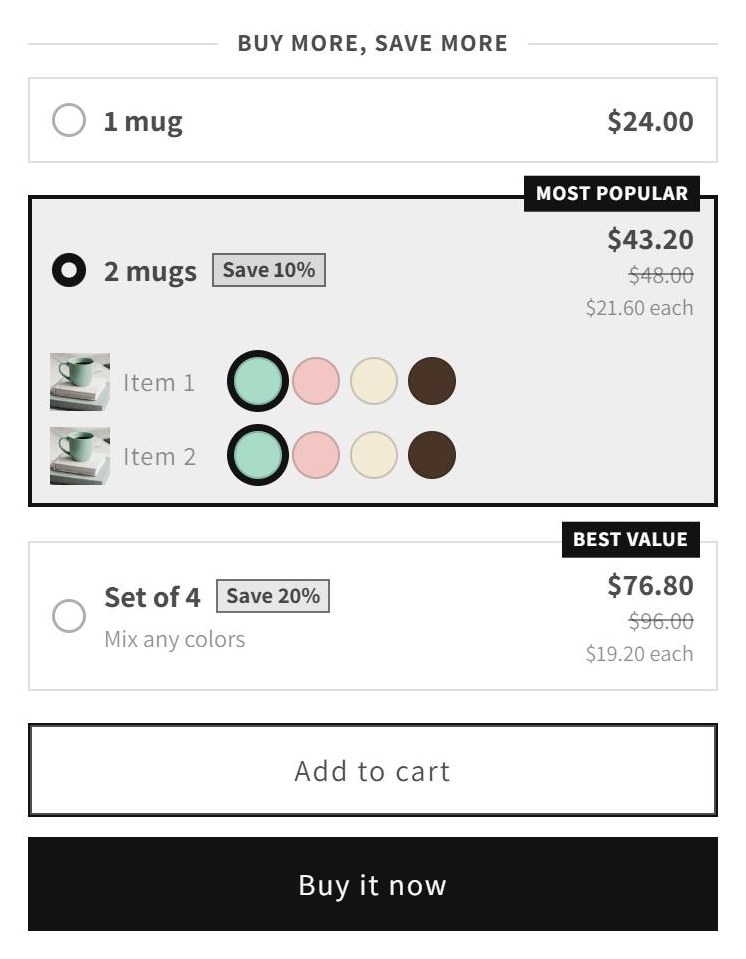
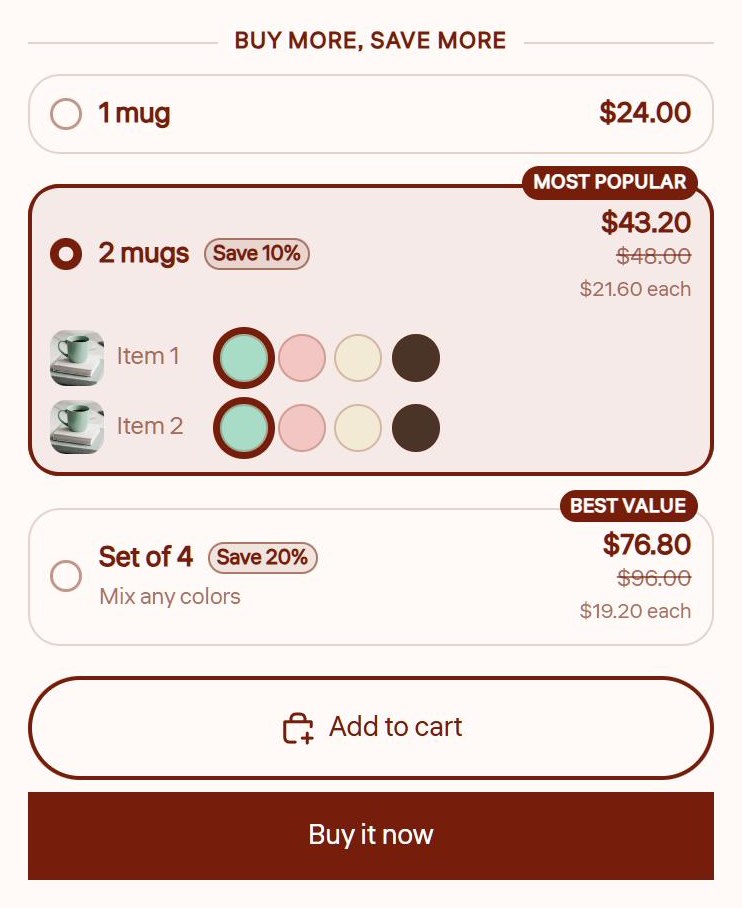
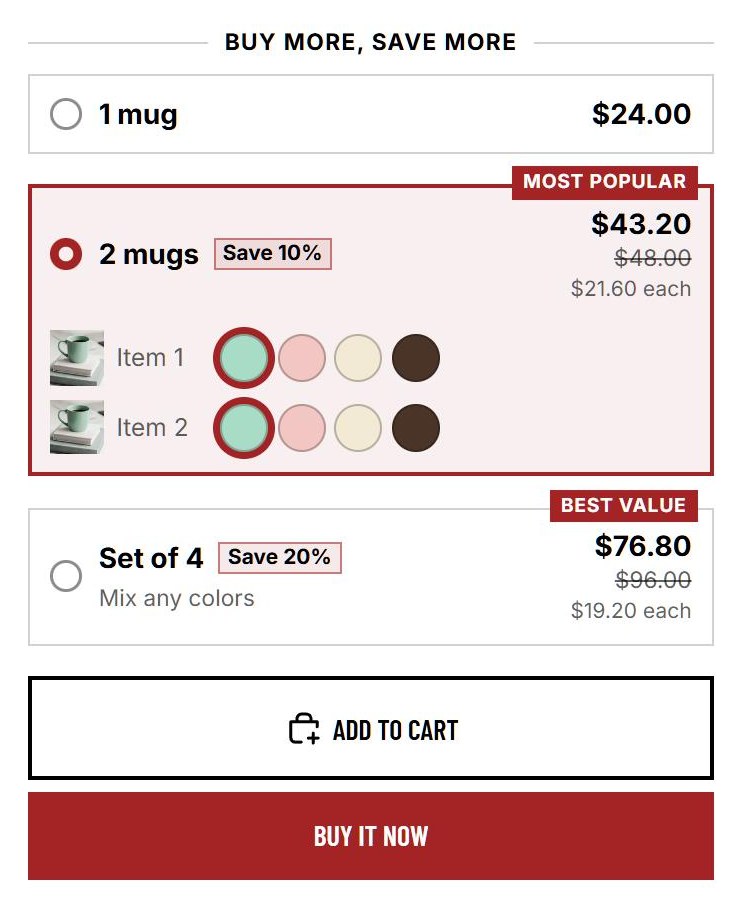
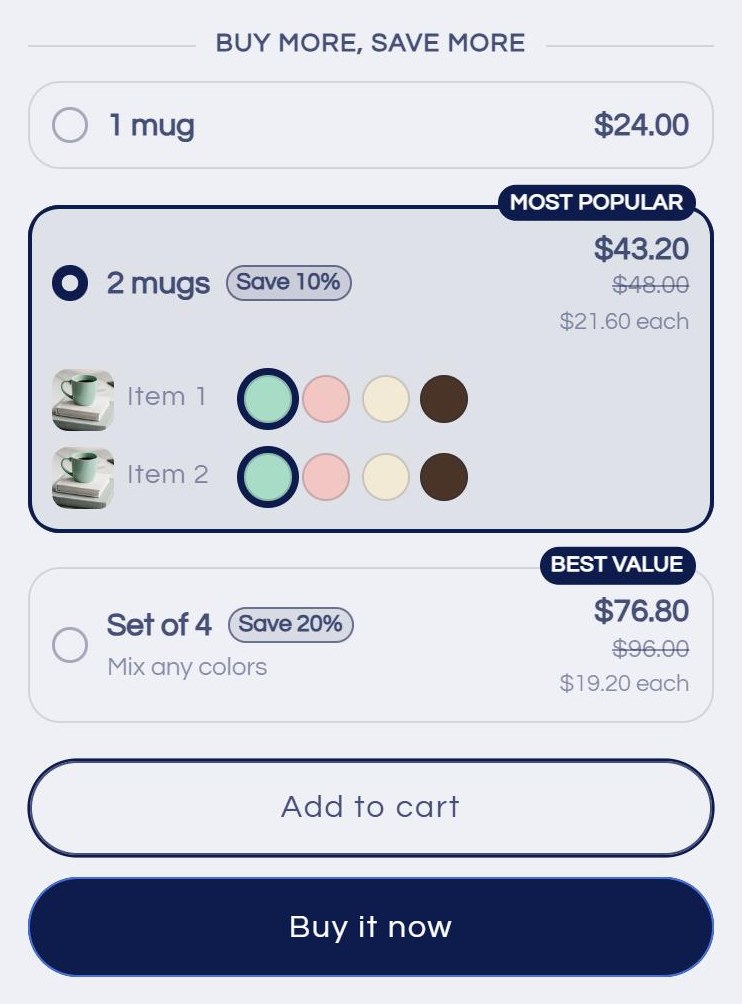
Breakly reads your theme's font, text color, button color and corner radius as the page loads. These are real product pages on 11 Shopify themes, with each theme's default settings and no custom CSS.
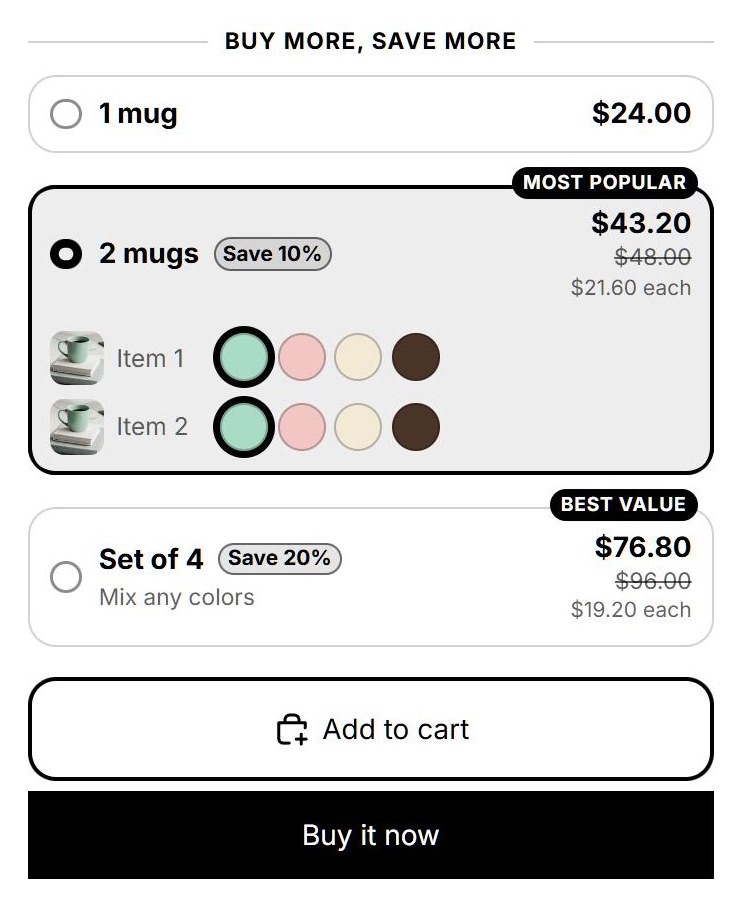
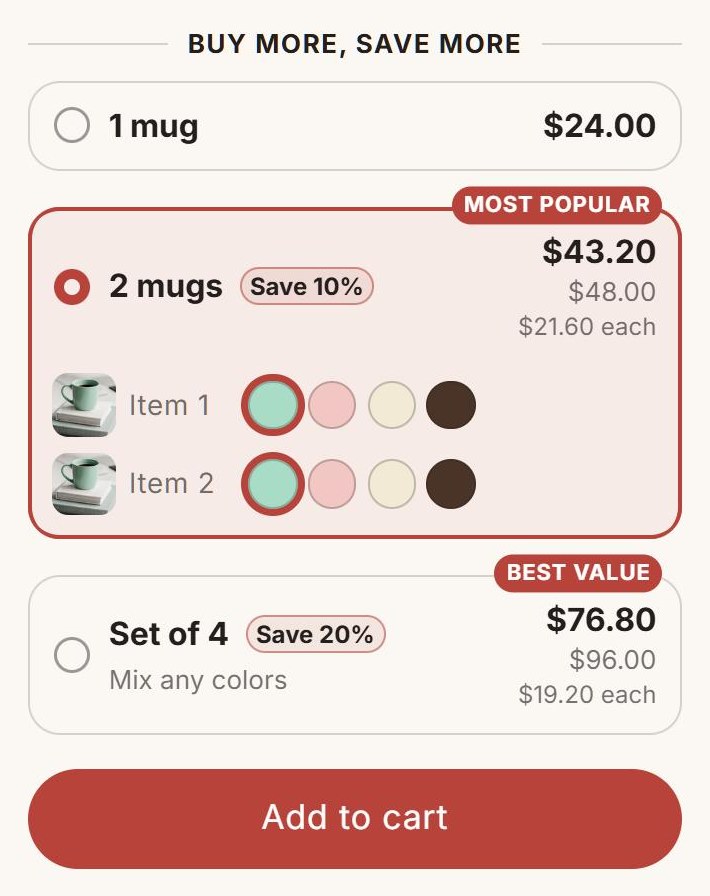
Breakly quantity breaks on a product page in the Horizon theme
HorizonTheme defaults, phone
Breakly quantity breaks on a product page in the Taiga theme
TaigaTheme defaults, phone
Breakly quantity breaks on a product page in the Dawn theme
DawnTheme defaults, phone
Breakly quantity breaks on a product page in the Pitch theme
PitchTheme defaults, phone
Breakly quantity breaks on a product page in the Savor theme
SavorTheme defaults, phone
Breakly quantity breaks on a product page in the Refresh theme
RefreshTheme defaults, phone
Breakly quantity breaks on a product page in the Craft theme
CraftTheme defaults, phone
Breakly quantity breaks on a product page in the Atelier theme
AtelierTheme defaults, phone
Breakly quantity breaks on a product page in the Dwell theme
DwellTheme defaults, phone
Breakly quantity breaks on a product page in the Sense theme
SenseTheme defaults, phone
Breakly quantity breaks on a product page in the Fabric theme
FabricTheme defaults, phone

Offer types

Every multi-buy deal shoppers know

Percent off, money off, a set price per item, a bundle total or free items. Each tier has its own type, so one offer can mix them.

ShopJournalAbout
Mint stoneware mug of black coffee on a stack of linen books

Kiln & Co.

Stoneware Mug

$24.00

Buy more, save more

Templates

Six templates. Every detail yours.

Start from a template, then set colors for each part, type sizes and weights, corners, spacing, badges and swatches. Or add your own CSS, scoped to the widget.

Layout
Accent

Theme

Blends in: your theme's font, colors and corners.

Buy more, save more

Outline

Crisp lines, a bold ring on the chosen tier.

Buy more, save more

Soft

Filled cards in a light tint, no borders.

Buy more, save more

Solid

The chosen tier fills with your accent color.

Buy more, save more

Ticket

Each tier is a price tag with a perforated edge.

Buy more, save more

Mono

Black and white, square corners, small caps.

Buy more, save more

Every template in every layout, with all design settings: browse the templates.

Per-item picks

A size and color for every item

Shoppers choose a variant for each item in the tier, with your color swatches and variant photos. The tier price holds for the whole mix.

  • Uses your Shopify color swatches, or reads common color names like Sage or Heather Grey
  • Sold-out variants can't be picked
  • Mixed items go to the cart in one add, through your theme's own cart drawer
  • Buy it now checks out exactly the items picked
ShopJournalAbout
Folded cotton tees in black, navy, red, sage and grey

Kiln & Co.

Essential Cotton Tee

$28.00
Buy more, save more
Item 1
Item 2
Item 3

Exact pricing

One price, page to checkout

The widget and the checkout discount use the same pricing rules. Breakly's discount runs as a Shopify Function inside Shopify's checkout, so the total on the product page is the total shoppers pay.

Product page

2 × Stoneware MugSave 10%

Total$43.20

Cart

2 × Stoneware Mug−$4.80

Total$43.20

Checkout

Quantity break−$4.80

Total$43.20

<10 KBof script on product pages, before compression
0lines of theme code to edit: an app embed or block places it
11Shopify themes tested on phone, tablet and desktop
11storefront languages built in, from Danish to Japanese

Features

Everything in Breakly

104 features across offers, targeting, the storefront, design and checkout. Here are the ones merchants use first.

Offers

  • Quantity tiersSet 2 to 6 tiers per offer, with quantities from 1 to 999.
  • Percent off eachTake a percentage off every item, with up to two decimals.
  • Amount off eachTake a fixed amount off every item in the tier.
  • Fixed price eachSell every item in the tier at one fixed price.
  • Buy X, get Y freeMake the cheapest items free for every full tier quantity.

Targeting

  • Specific productsApply an offer to products you pick, with all their variants.
  • CollectionsApply an offer to every product in the collections you pick.
  • All productsRun one store-wide offer for every product without its own offer.
  • Excluded productsLeave up to 500 products out of a store-wide offer.
  • Count per productCount all variants of a product together toward a tier.

Storefront

  • Auto placement app embedShow the widget on product pages without editing templates.
  • Placement positionPlace the widget above the add to cart button or below the price.
  • Quantity breaks app blockPlace the widget anywhere in a section with the theme editor.
  • Widget outside product pagesShow the block in featured product and page builder sections.
  • Block heading and layoutOverride the heading and layout for one block in the theme editor.

Design

  • TemplatesStart from six templates: Theme, Outline, Soft, Solid, Ticket and Mono.
  • LayoutsShow tiers as cards, columns, compact pills, a list, a table or a grid.
  • Automatic accentTake the accent color from the theme's add to cart button.
  • Accent colorPick your own accent for the chosen tier, badge and savings.
  • Element colorsSet eight colors, from card background to badge text and savings chip.

Checkout and pricing

  • Automatic checkout discountApply all offers with one Shopify Functions automatic discount.
  • Same price on page and checkoutUse one integer-cent formula in the widget and at checkout.
  • Cart-based countingApply tiers to cart quantities, also from drawers and express checkout.
  • Price endingsRound discounted prices down to .99, .95, .90 or whole amounts.
  • Multi-currency checkoutConvert store-currency amounts with Shopify's rate in every currency.

Insights and plans

  • Setup checklistFollow three setup steps on Home, with links to the theme editor.
  • Monthly summarySee counted orders, sales, discounts and average order value on Home.
  • No-discount diagnosisGet likely causes when 30 days pass without a discounted order.
  • Analytics summarySee discounted orders, sales, discounts and their share of all orders.
  • Results by offer and tierCompare orders, items, discounts and sales per offer and tier.

Developers

  • Tier change eventListen for breakly:tier-change with product, quantity, variants and prices.
  • Add eventListen for breakly:add before add to cart or Buy it now.
  • Price hookMark the theme's price element with data-breakly-price.
  • Variant picker hookMark the theme's variant picker with data-breakly-variants.
  • CSS classesStyle the widget with stable breakly__ element and breakly-- modifier classes.

Setup

Live in three steps

  1. Install Breakly

    Add it from the Shopify App Store. Breakly sets up its discount and storefront settings on its own.

  2. Create an offer

    Pick products or collections, add the tiers, and choose a discount type for each one.

  3. Turn on the widget

    Switch on the Breakly app embed in your theme editor, or place the block exactly where you want it.

Pricing

Priced by the orders it discounts

Every plan has every feature. Plans differ only in how many orders with a Breakly discount you get each month, and you can see each counted order in the app.

Free

$0/ month

100 discounted orders a month

For trying Breakly and small stores.

  • Every offer type and template
  • Per-item variant picker
  • Analytics and order export

Growth

$9.99/ month

1,000 discounted orders a month

For stores with steady multi-buy sales.

  • Every offer type and template
  • Per-item variant picker
  • Analytics and order export

Pro

$19.99/ month

Unlimited discounted orders a month

For high-volume stores and big sale days.

  • Every offer type and template
  • Per-item variant picker
  • Analytics and order export

FAQ

Questions merchants ask

Why doesn't the widget show on my product page?

Turn on the Auto placement app embed or add the Quantity breaks block in your theme editor, then save the theme. The widget shows only on products with an active offer that is running now, so check the offer's schedule and countries. Store pages can take a few minutes to show a change.

Is the checkout price the same as on the product page?

Yes. The widget and the checkout discount use the same calculation, to the cent. Another product discount on the same item can change it, because Shopify applies only the better product discount on each item. Price check shows what checkout charges for each tier.

Does Breakly work with discount codes?

Yes. Breakly's discount combines with product and shipping discounts, and with order discounts when Shopify allows it. For a product discount code, also turn on combining with product discounts in the code's settings. On one item, Shopify applies only the better product discount, so a code and a tier don't add up.

What discounts can a tier give?

A tier can use % off each, Amount off each, Fixed price each, Buy X, get Y free, or Fixed total for the tier. It can also have no discount and show the regular price. An offer has 2 to 6 tiers, with quantities from 1 to 999.

Do different variants count together?

By default, yes: variants of the same product count together, so 1 blue and 2 red shirts count as 3. You can also count each variant on its own, or use Mix & match to count any products in the offer together.

Can shoppers pick a different variant for each item?

Yes. With Let shoppers pick a variant for each item on, a tier of 2 or more shows one row per item, with color swatches when available. Breakly adds every chosen variant in one add to cart. Offers that count per variant don't show these rows.

Can I schedule an offer?

Yes. Check Schedule a start and end in the offer and pick dates and times in your store's time zone. Checkout follows the times to the minute. Product pages can take a few minutes to show or hide the widget.

Can I limit an offer to some countries?

Yes. Check Only for shoppers in some countries and choose up to 60 of the countries your store ships to. Shoppers elsewhere don't see the widget and don't get the discount. Breakly uses the country the shopper browses and checks out in.

Your next order could hold four items.

Add Breakly to Shopify

Free up to 100 discounted orders a month.